How to post cars from your dealership website to Facebook Marketplace
Short answer: a dealership's Facebook Page can't create vehicle listings on Marketplace. A salesperson posts each car from a personal profile, using Facebook's vehicle form. You pull the details from the vehicle page on your store's website, add photos, write a description and publish. The slow part is the typing, and that part can be handed off.
Who is allowed to post
Dealer Pages lost this on January 30, 2023. From that date Meta stopped letting business Pages create vehicle listings on Marketplace, deleted the listings Pages already had, and took the Vehicles and Manage Inventory tabs off those Pages.1 What stayed is the free person-to-person listing. Meta's own notice pointed sellers to creating Marketplace listings from a personal profile.2
So in practice the person posting is you, not the store. Two things to settle before your first listing:
- Get your manager's OK. You're advertising the store's inventory under your own name. Ask what the store wants in every listing: stock number, dealer disclosure, the price you're allowed to show.
- Read Meta's Commerce Policies once. Meta tells sellers to review them before listing anything, and every Marketplace listing has to follow them.3
What Facebook's vehicle form asks for
Have these ready from the vehicle page before you start. Facebook changes this form from time to time, so treat the list as a checklist, not a promise.
- Vehicle type, year, make and model4
- Mileage and price. A price is required.4
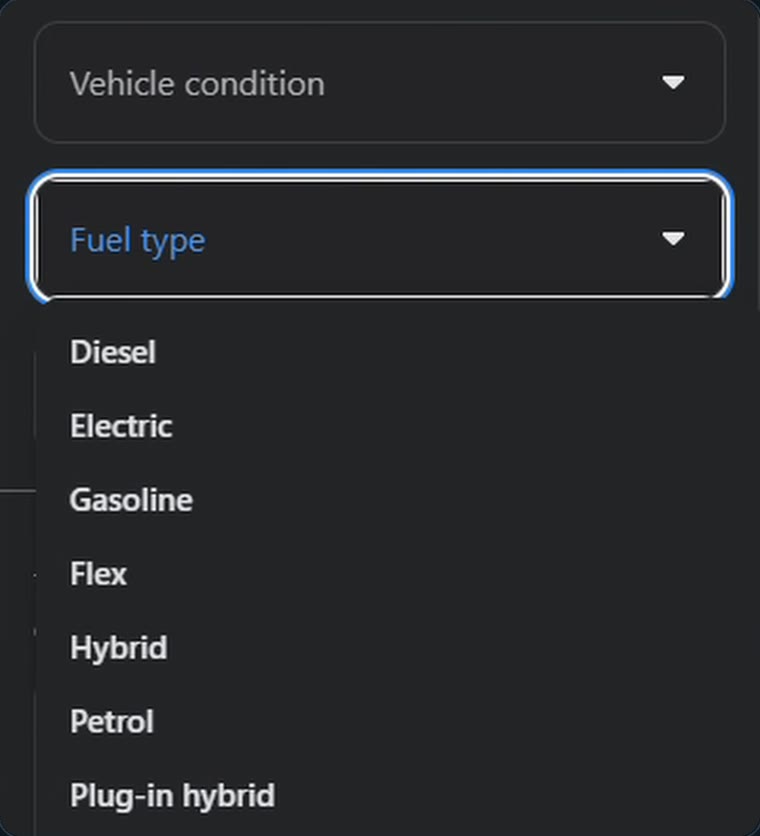
- Condition, fuel type and transmission
- Photos: at least one, and up to 204
- A description. Facebook doesn't force you to write one, but a listing without one gives a buyer nothing to go on.4
The manual way, step by step
- Open the car's page on your store's website. Keep it in its own tab.
- Save the photos you plan to use. Lead with the best exterior shot.
- On Facebook, open Marketplace, start a new listing and choose the vehicle option.
- Add the photos first. The form is easier to fill with the car in front of you.
- Work down the form: type, year, make, model, mileage, price, then the dropdowns for condition, fuel and transmission.
- Write the description. Say what the car is, how it's equipped and what's worth knowing about this particular one. If you want a starting point, the free listing writer builds one from the details you type in, and the listing templates guide has three you can copy.
- Check the price against the store's website one more time, then publish.
None of that is hard. It's just the same copying and tab-switching for every car, and it adds up fast when you're trying to keep a dozen listings current between customers.
Cutting the typing
Marketplace Flow is our product, so weigh this section accordingly. It's a Chrome extension built for exactly the steps above. You open a vehicle on your store's website and it reads the details off the page.
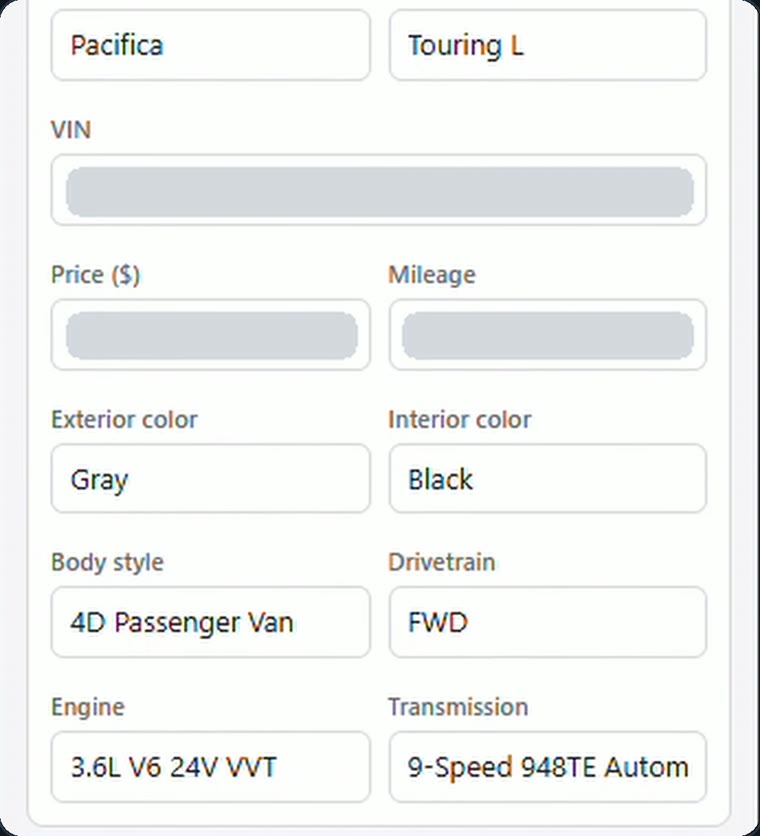
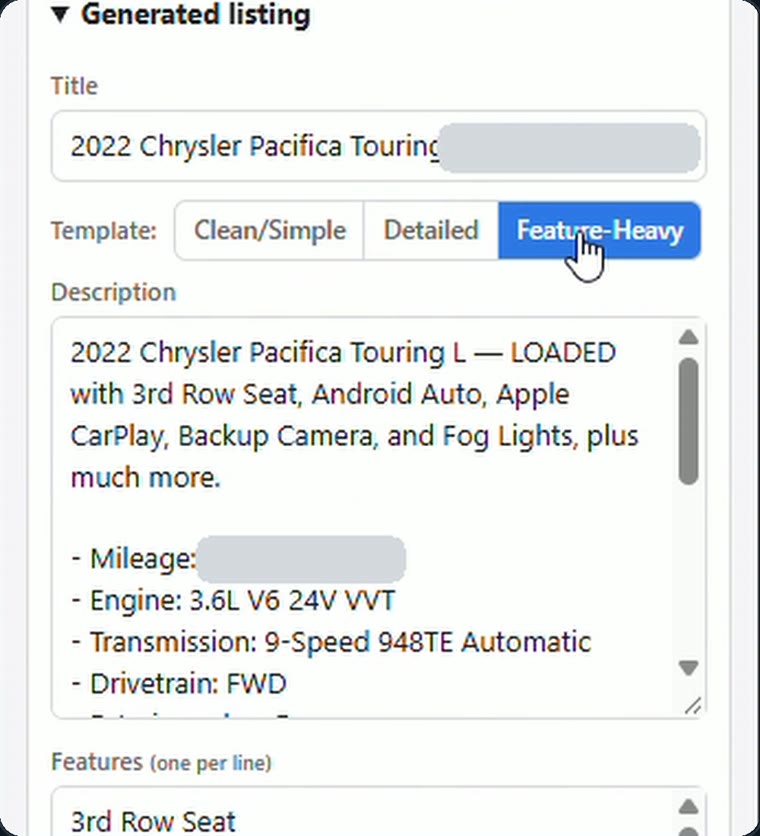
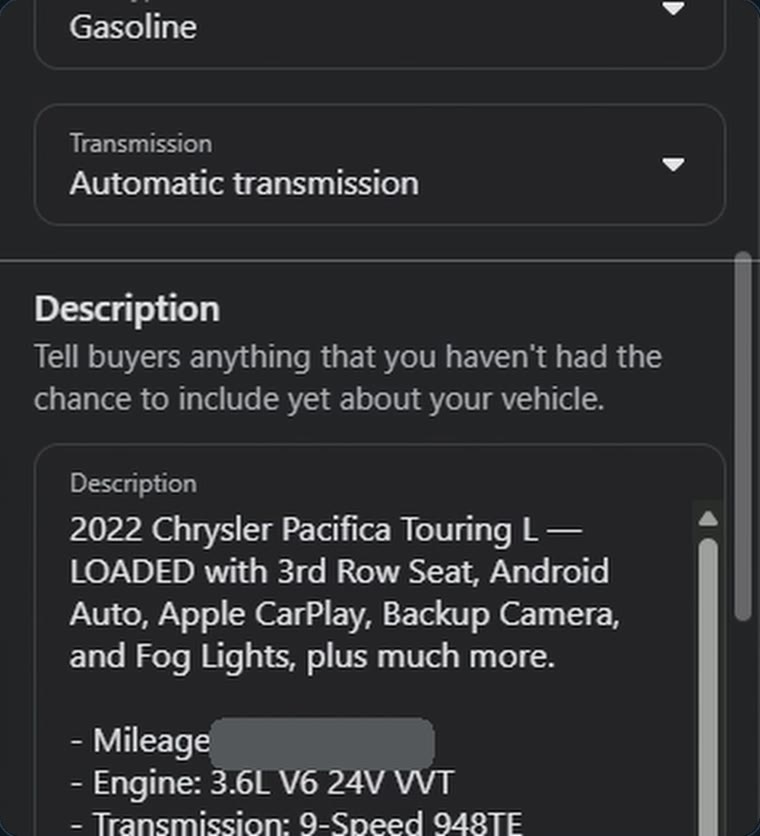
Click Post to Marketplace and it fills in Facebook's vehicle form for you.
What it doesn't do
- It doesn't publish. You review the form and press Publish yourself, every time.
- It doesn't add your photos. You choose and upload those.
- It doesn't finish your description. It writes a first draft. Change the wording so it sounds like you and fits that car.
- It isn't a phone app. It runs in Chrome on a computer.
It costs $30 a month with no limit on listings.
Mistakes that cost you messages
- A price that isn't the real price. If the number on Marketplace doesn't match what a buyer can actually pay, you've wasted their trip and your store's name. Regulators are watching dealer price advertising too: a June 2026 law-firm alert reported FTC warning letters to 97 dealers over advertising, including prices that counted discounts most buyers couldn't get.5 Your store's compliance rules win over anything written here.
- The same description on every car. Meta doesn't publish how Marketplace decides what to show, so nobody outside Meta can tell you exactly what hurts a listing. Our view: wording that's identical from car to car gives a buyer no reason to stop on yours, and it isn't worth finding out how Facebook treats it. Start from a template, then rewrite.
- Photos that don't match the car. Use photos of the actual vehicle, and make sure the description agrees with them.
- Leaving sold cars up. Mark it sold or delete it the day it goes. A stale listing turns a warm message into an apology.
Sources
- Carscoops, “Facebook Goes After Dealer Business Pages Banning Free Marketplace Car Listings From Jan 2023”; CBT News, “New Facebook Marketplace rule restricts business pages from listing cars.”
- KPRC Click2Houston, “Meta is ending vehicle, home listings from Facebook business Pages” (Dec. 28, 2022), reporting Meta's notice. Meta's own page on the change is in its Business Help Center.
- Meta, Marketplace safety.
- The Penny Hoarder, “Sell Clothes, Cars or Campers on Facebook Marketplace. Here’s How.” The mileage, condition, fuel type and transmission fields also appear in our own recording of the form.
- Crowell & Moring, “Auto Dealers: The FTC Is Back in the Driver’s Seat” (June 12, 2026). This guide is not legal advice.
Sources checked November 10, 2026. Screenshots are from our own recording, with identifying details covered.